 English
  Arabic
  Chinese
  French
  Russian
  Spanish
 Ticket sales for your conference run on WooCommerce — the same trusted store platform used by millions of websites. It handles your ticket types, takes payment securely, and keeps a record of every order. This guide is an orientation: what’s where, and how the pieces fit together. The related articles then cover the day-to-day tasks — coupons, refunds and reports — in detail.
Where everything lives
Everything to do with ticket sales is reached from your site’s dashboard:
- Продукция — your ticket types (for example Full Delegate, Student, Day Pass), each with its price and availability.
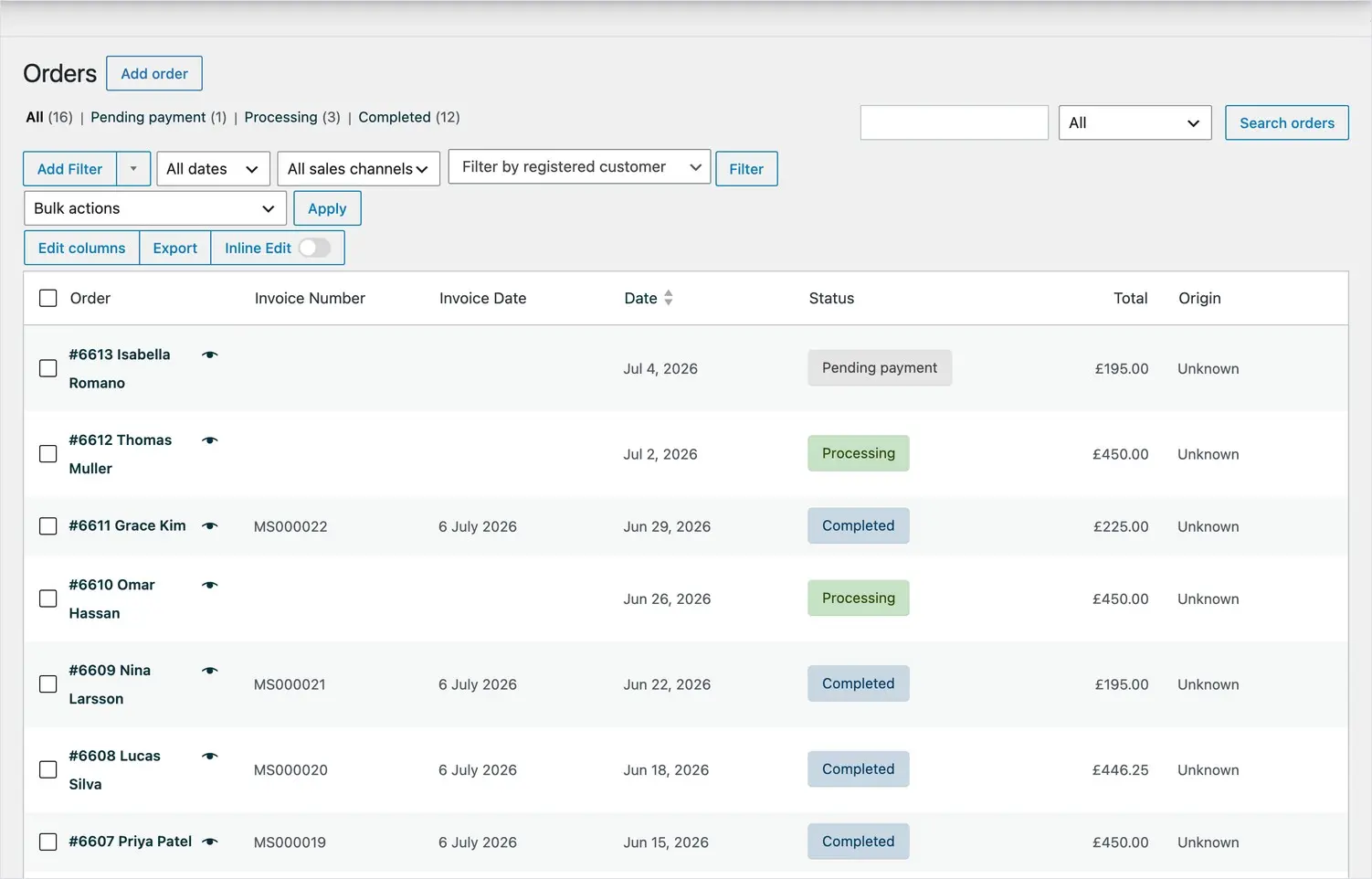
- Orders — every purchase, with the buyer’s details, what they bought, and whether payment has been received.
- Marketing → Coupons — discount codes, for early-bird offers, members’ rates or invited speakers.
- Аналитика — sales figures, revenue and order trends over time.
How a ticket sale works
When a delegate books, they choose their ticket, pay by card, and the payment is processed securely through Полоска. WooCommerce then creates an order, emails the delegate a confirmation and a receipt, and records the sale. You don’t need to do anything for a normal booking — it all happens automatically.
Understanding order statuses
Each order carries a status so you can see at a glance where it stands:
- Processing — payment received; the booking is confirmed.
- Completed — the order is fully fulfilled.
- Pending payment — the delegate started but didn’t finish paying.
- Refunded — some or all of the order has been refunded.
- Cancelled — the order was cancelled before payment.
Finding and reading an order
Open Orders to see every booking, newest first. Click any order to see the full picture: the delegate’s name and email, the ticket they bought, the amount paid, the payment method, and a full history of what has happened to the order. This is also where you issue a refund when you need to.
Receipts and invoices
Every delegate automatically receives an emailed receipt/invoice for their booking, which they can also download. If you refund an order, an updated document (a credit note) is issued so their records always match what they’ve actually paid.
Where to go next
From here, see the related articles on creating coupons, processing refunds, and generating analytics reports for step-by-step guidance on each.