 English
  Arabic
  Chinese
  French
  Russian
  Spanish
 Everything you’ve submitted to the conference lives in one place: the My Abstracts area of your dashboard. From here you can check the status of each abstract, make changes while submissions are open, and withdraw anything you no longer wish to present. This guide explains what you’ll find there and what you can do.
Finding your abstracts
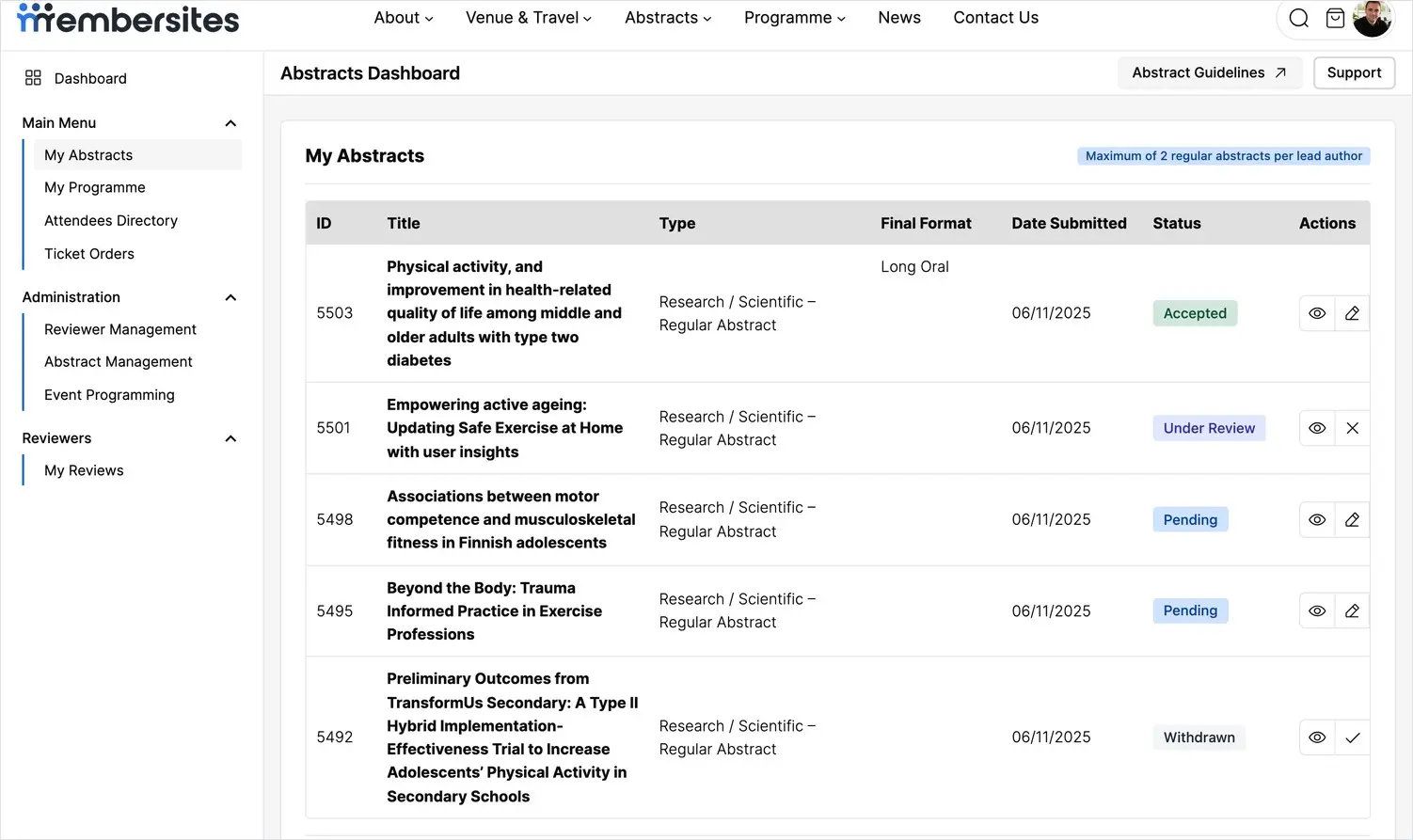
Open My Abstracts from the menu in your dashboard. Each abstract you’ve submitted appears as a row showing its title, type, the date you submitted it, and its current status. If an abstract is accepted, its confirmed presentation format (for example Long Oral or Poster) is shown too.
Understanding the status of an abstract
The status tells you where your abstract is in the process:
- Pending — submitted and waiting to be reviewed. No action needed from you.
- Under review — currently being assessed by the review panel.
- Accepted — your abstract has been accepted for the programme. You’ll be told the format it’s been accepted as.
- Rejected — not selected for this conference.
- Withdrawn — you’ve withdrawn it from consideration.
You’re notified by email whenever a decision is made, so you don’t need to keep checking back.
Viewing an abstract
Use the view action (the eye icon) beside any abstract to see exactly what you submitted, laid out as the reviewers and organisers see it. This is a good way to proof-read your work without making changes.
Editing an abstract
While submissions are still open, use the edit action (the pencil icon) to update any part of your abstract — the text, categories, or author details — and save your changes. Once the submission deadline has passed, or once an abstract has been reviewed, editing may be closed; if you need a change after that point, contact the organisers through the Поддержка link in your dashboard.
Withdrawing an abstract
If you no longer wish to present a piece of work, use the withdraw action beside it. Its status changes to Withdrawn and it’s removed from consideration. Only withdraw if you’re sure — if you’re simply unable to attend but want a co-author to present, contact the organisers instead so your work can still be included.
How many abstracts you can submit
Most conferences limit how many abstracts one person can submit as lead author — for example, a maximum of two regular abstracts. Any limit that applies is shown at the top of your My Abstracts page. You can still be listed as a co-author on other people’s submissions without it counting towards your own limit.
Submitting another abstract
To add another submission, click Submit an Abstract from the same page. See the related article on submitting your abstract for a full walkthrough of the form.