 English
  Arabic
  Chinese
  French
  Russian
  Spanish
 Once abstracts are accepted, the next step is turning them into a schedule. Event Programming is where your accepted abstracts become presentations, get arranged into sessions, and are given dates, times and a running order — building up the conference programme that attendees will follow. This guide explains how it fits together.
How programming works
Event Programming has three parts, shown as tabs at the top:
- Presentations — every accepted abstract, ready to be placed in the schedule.
- Sessions — the slots in your programme (for example an oral session, a symposium or a poster session) that presentations go into.
- Abstract Book Designer — for producing the printed abstract book, covered in its own article.
Reviewing your presentations
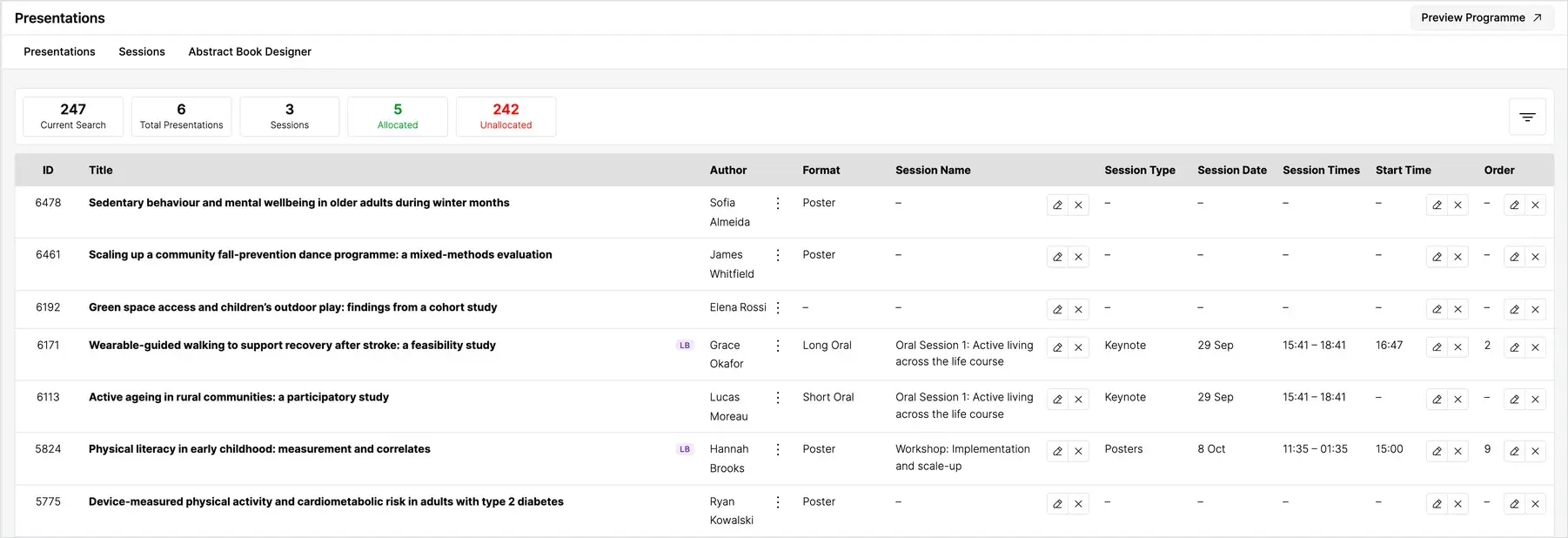
"(《世界人权宣言》) Presentations tab lists every accepted abstract, with its author and format. The summary cards show how many presentations you have in total and, importantly, how many are allocated to a session versus still unallocated — so you always know how much of the programme is still to build.
Creating your sessions
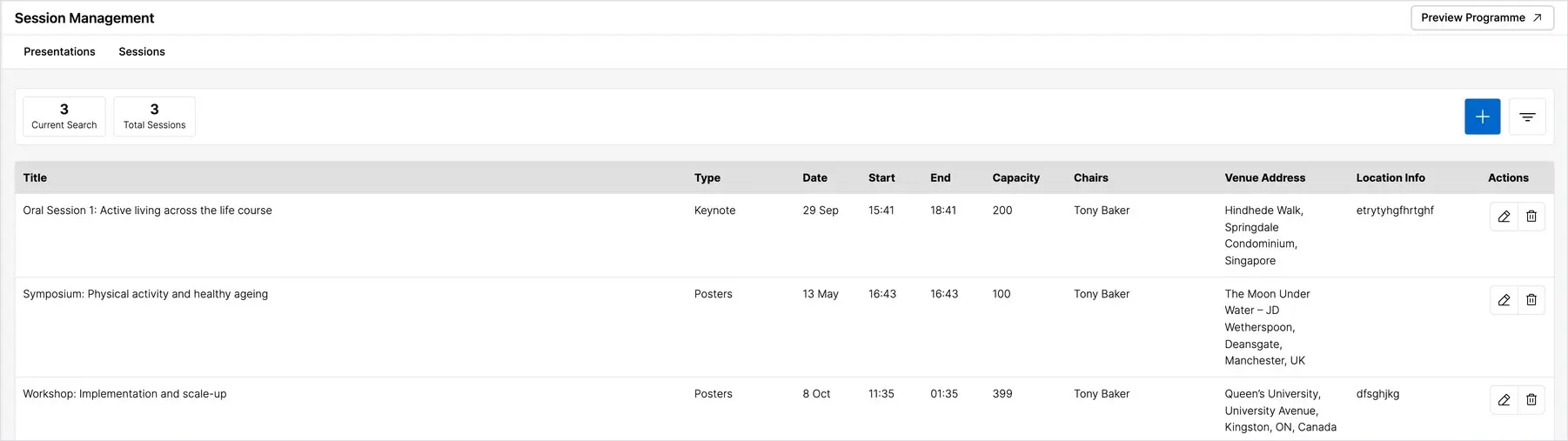
On the Sessions tab, set up the sessions that make up your programme. Each session has its own name, type, date and time. Build the shape of your conference here first — the days, the streams and the slots — before you start placing presentations into it.
Allocating presentations to sessions
Back on the Presentations tab, assign each presentation to a session and give it a start time and an order within that session. As you do, the allocated and unallocated counts update, so you can work steadily through until every presentation has a home. Keeping an eye on the unallocated count is the simplest way to make sure nothing is left off the programme.
Previewing the programme
Use Preview Programme at any time to see the schedule exactly as attendees will. This is the best way to check for clashes, gaps or sessions that are running long before you publish. Attendees can then browse the finished programme and build their own personal schedule from it.