 English
  Arabic
  Chinese
  French
  Russian
  Spanish
 If you’ve been accepted onto the review panel, you assess the abstracts assigned to you from the My Reviews area of your dashboard. Reviewing is done entirely online, one abstract at a time, and your scores feed directly into the committee’s decisions. This guide explains how to work through your assigned abstracts and submit a review.
Finding your assigned abstracts
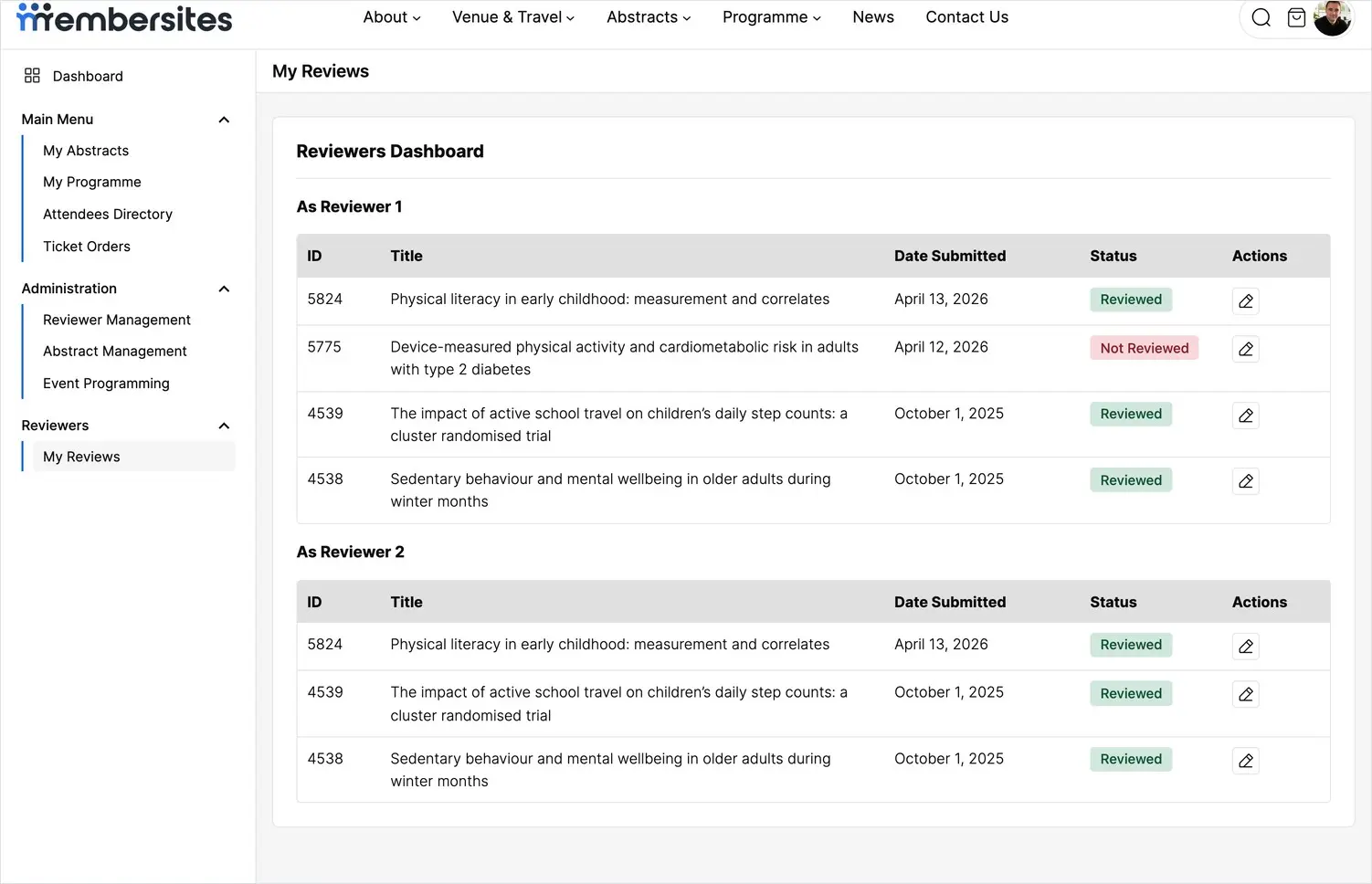
Open My Reviews from the menu. Your assigned abstracts are listed with their title, the date submitted, and a status of Reviewed or Not Reviewed so you can see at a glance what’s left to do.
You may see your abstracts grouped as Reviewer 1 et Reviewer 2. Each abstract is assessed independently by two reviewers, and these headings simply show which role you hold for each one. Review every abstract listed under both.
Opening an abstract to review
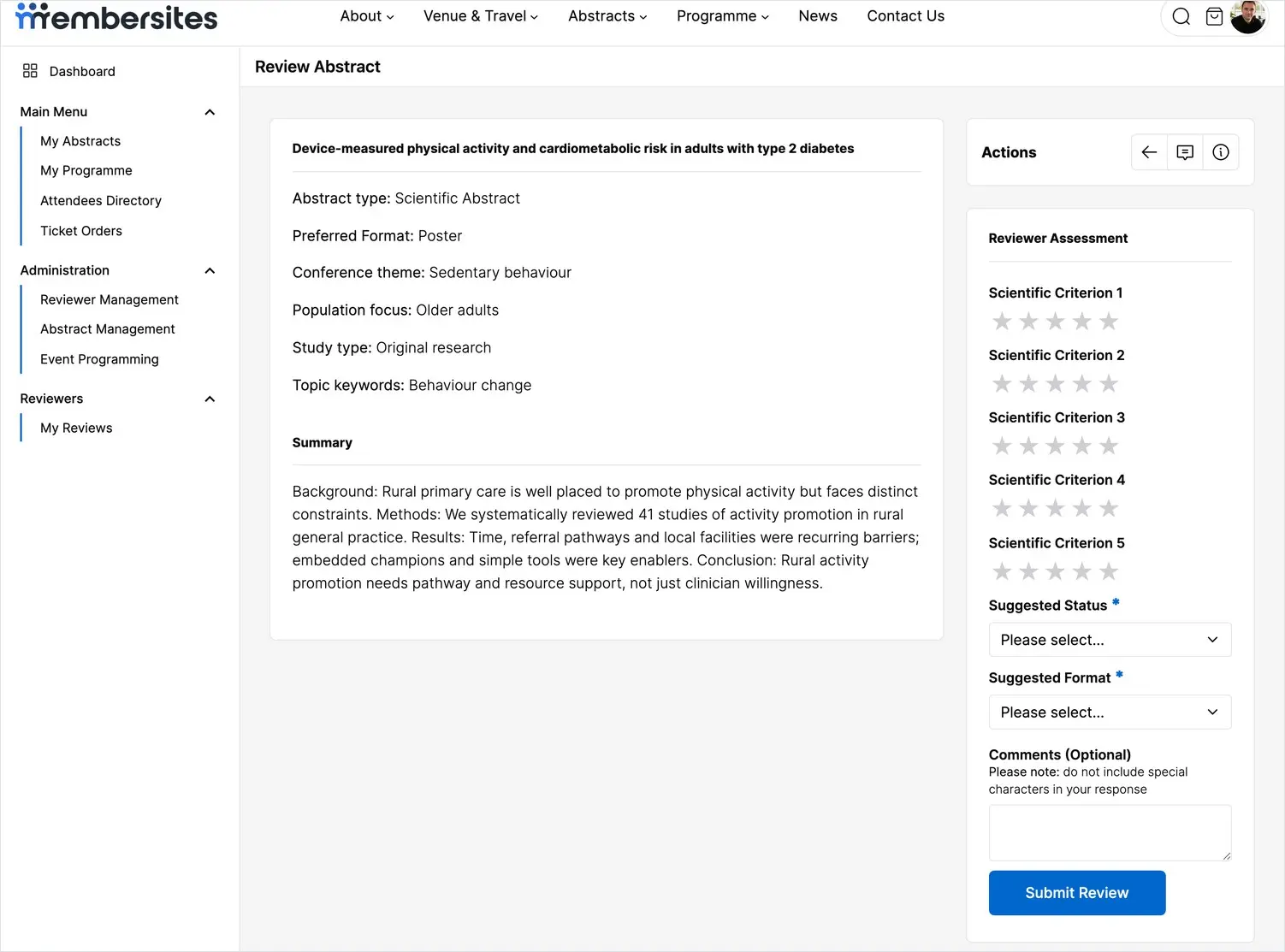
Click the review action (the pencil icon) beside any abstract to open it. You’ll see the abstract’s title, type, preferred format, categories and full text, with the scoring panel alongside.
Reviews are anonymous: you see the research, but not the authors’ names or affiliations. This keeps every assessment focused on the quality of the work itself.
Scoring against the criteria
In the Reviewer Assessment panel, score the abstract against each criterion using the star rating. The criteria are set by the conference — for example scientific quality, originality, relevance and clarity — and each is rated on the same scale. Give every criterion a score.
Making your recommendation
Below the scores, record your recommendation:
- Suggested status — whether you’d accept or reject the abstract, or your recommended decision.
- Suggested format — the format you feel suits the work best, such as an oral presentation or a poster.
Both are required. They’re recommendations to the committee, who weigh them alongside the other reviewer’s assessment before making the final decision.
Adding comments
You can add optional comments to support your assessment. Keep them constructive and avoid special characters. Depending on how the conference is set up, comments may be shared with the committee to inform the decision.
Submitting your review
When you’re happy with your assessment, click Submit Review. The abstract’s status changes to Reviewed and it moves off your outstanding list. Work through the rest the same way until everything assigned to you is complete before the review deadline.